Guide
Instagram Insights for Business and Creator Accounts
by igtrackr · Published 2026-05-27 · Updated 2026-10-09
Switching to a Business or Creator account unlocks Instagram's full Insights tab — reach, content interactions, follower demographics, discovery sources, top content. This guide walks through what each section actually means and where the common misreadings happen.
TL;DR
Switch to Creator (free) or Business to unlock the Insights tab in the Instagram app and the full Meta Business Suite analytics. You get reach, content interactions, follower demographics, top content, and discovery sources. Personal accounts get a stripped-down view. Discovery sources tell you where your reach actually came from — usually Home and Hashtags for posts, Explore for Reels.
Personal vs Creator vs Business — what changes
Instagram has three account types, and the analytics available to you depend entirely on which one you're using. Personal accounts get almost nothing: you can see like counts and comment counts on individual posts, and tapping "View Insights" on a post shows you a rough reach number for that post only. There's no aggregate view, no follower breakdown, no discovery data.
Creator accounts unlock the full Insights tab in the app and access to Meta Business Suite. Creator is the default recommendation for individuals — influencers, freelancers, hobby accounts that have grown past the point where native analytics matter. You don't need a Facebook page to switch to Creator, and you don't need to be an actual business. Our free tools can supplement what's available natively, especially for competitive context.
Business accounts unlock the same analytics as Creator but also enable linking to a Facebook page, using the Meta advertising interface directly from the profile, and access to the full Business Manager ecosystem. The primary reason to choose Business over Creator is the Facebook page connection and advertiser-oriented features. If neither of those matter to you, Creator and Business give you identical Insights access — see our overview of what's available for a breakdown. Both are free. Both are reversible.
The Insights tab walkthrough
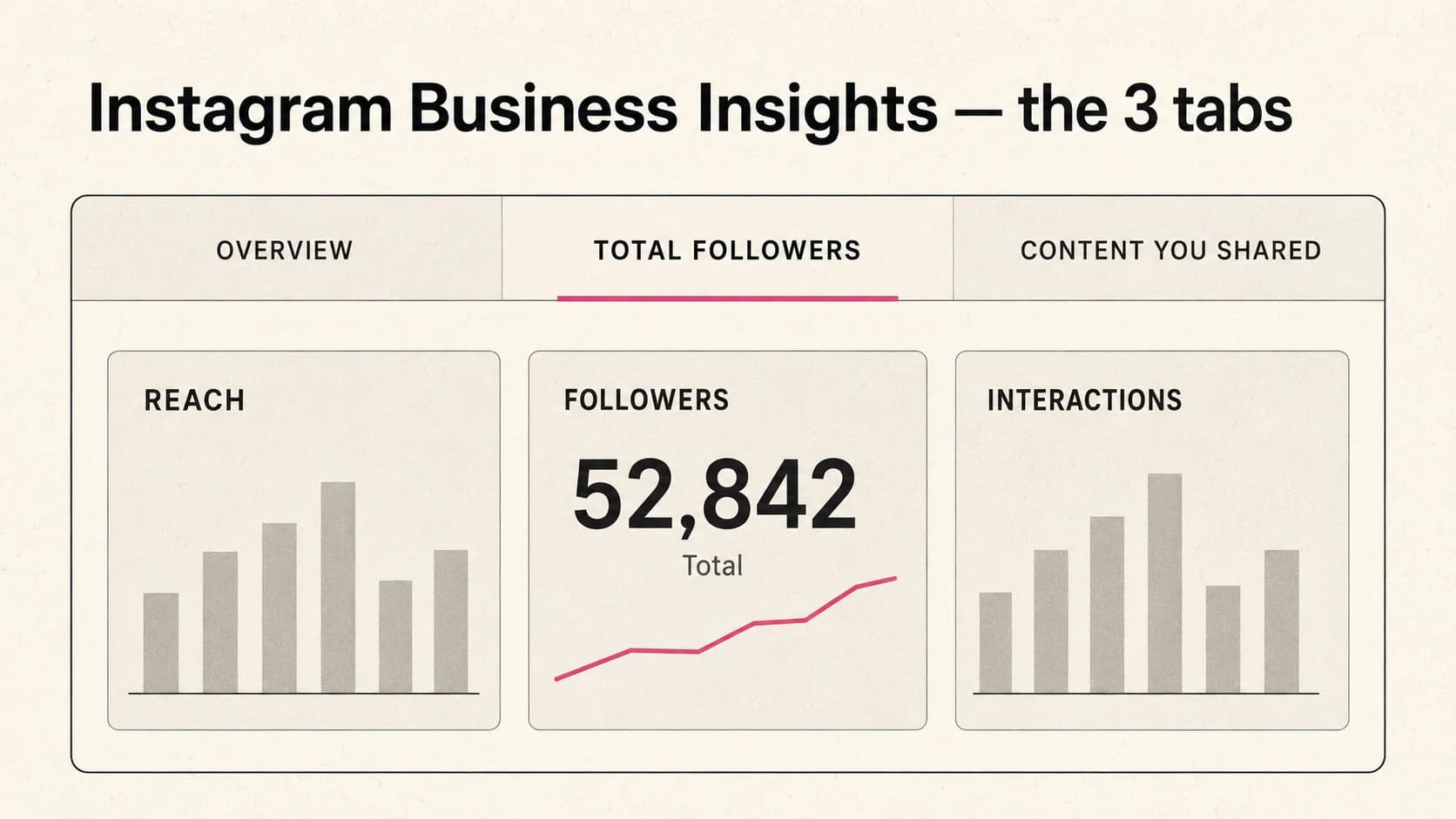
To reach the Insights tab in the app, open your profile, tap the three-line menu in the top-right corner, and select Insights. The default view shows an Overview for the last 30 days — you can change this to 7, 14, or 90 days using the date range selector at the top.
The Overview surfaces three headline numbers: accounts reached (unique accounts that saw any of your content), content interactions (total likes, comments, saves, and shares across all your posts in the window), and total followers (with the net change for the period). Below that, you get a breakdown by content type — Posts, Stories, Reels — showing how your reach is distributed across formats.
Scrolling further, the Content You Shared section shows your recent posts ranked by whichever metric you select — reach, impressions, interactions, saves. This is the quickest way to identify your top-performing content. Tap any post to see its full per-post breakdown: reach, impressions, profile visits driven by the post, saves, comments, and shares.
The Audience tab is separate from the Overview and shows follower demographics: top cities, top countries, age range, gender split, and the hours and days when your followers are most active. The "most active times" data is what most accounts use to inform posting schedules, though it's worth treating that data as one input rather than a hard rule. Stories have their own separate analytics surface — see our guide on Story Insights for that breakdown.
Check any account
Your own Business Insights live in the app. For competitive context — how peers' engagement rates and follower counts compare — igtrackr's Insights Checker surfaces public-data signals for any handle.
Open the Insights Checker →Follower demographics: what's reliable, what's noisy
The Audience tab shows four demographic breakdowns: top cities, top countries, age range, and gender. These are among the most useful but also the most frequently misread data points in Instagram Insights.
Top cities and top countries tend to be the most reliable of the four. Location data is inferred from a combination of account settings and behavioral signals, and while it's not perfect, the country breakdown in particular is usually accurate enough to be actionable — it tells you whether your audience is primarily domestic or international, and which markets are largest. For competitor research, analyze accounts in your niche to benchmark how similar audiences break down.
Age and gender are noisier. Instagram derives these from what users have entered in their profiles and from behavioral inference. Both are optional fields, and a significant share of Instagram users leave them blank or enter inaccurate information. If your account has a large proportion of followers who've never completed their profile, the age and gender charts will skew toward the defaults that Instagram fills in, which may not reflect your actual audience. Treat these as directional rather than precise.
One practical note: Instagram applies minimum thresholds before showing demographic data. If your account is small — roughly under 100 followers, though Instagram doesn't publish exact thresholds — some or all demographic charts may show blank. This is Instagram's data privacy protection, not a bug.
Treat Instagram's follower demographics as directional, not literal. Meta's thresholds suppress data below 100 followers, and the underlying inference model has known biases — useful for trend, dangerous for precise targeting.
Discovery sources: Home / Hashtags / Explore / Profile
Discovery sources tell you where the reach for a given post or Reel actually came from. You access this at the individual post level: tap a post, tap "View Insights," and scroll down to the Discovery section. Instagram breaks reach into categories based on where viewers encountered the content.
Home is reach from your existing followers seeing the content in their main feed. For most accounts, this is the largest single source — it represents the audience you already have. Profile means someone visited your profile and tapped the post from there, usually a sign of intentional browsing.
Hashtags represents reach from users browsing or following specific hashtags. Use the hashtag analyzer to evaluate which tags are still active discovery sources in your niche. This source has declined in significance since Instagram reduced hashtag reach in recent years, but it still drives some discovery for niche content. Explore is reach from Instagram's algorithmic recommendation feed. For Reels in particular, Explore is often the dominant non-follower discovery source — it's where algorithmic distribution happens. A post that breaks out beyond your existing followers almost always does it through Explore.
The ratio of Home to non-Home reach tells you something important: if almost all your reach is Home, you're circulating within your existing audience but not finding new ones. Non-Home reach — especially Explore — indicates genuine distribution beyond the current follower base.
Common Business-Insights misreadings
A few patterns come up repeatedly when accounts start using Insights and draw the wrong conclusions from the data.
The most common: confusing reach with impressions. Reach is unique viewers; impressions are total views. A single post can show 10,000 impressions with only 7,000 reach because some people saw it more than once. Optimizing for impressions without tracking reach can mislead you into thinking your content is spreading when it's just being seen repeatedly by the same people.
A related misreading is treating follower count growth as the key signal of a good period. Follower count increases are lagging indicators — they follow good content performance, not the other way around. A more immediate signal is the ratio of reach to follower count on a given post, which tells you what proportion of your existing audience actually saw it. Use follower tracking to monitor growth trends over time. If you have 10,000 followers and a post reached 1,200 of them, that's 12% — a number worth tracking week over week.
The "most active times" data is another source of over-indexing. Instagram's active-hours chart shows when your followers are generally online, not when they're most receptive to your content specifically. Publishing at your audience's peak hours is reasonable, but treating it as the primary lever for performance will disappoint — content quality and relevance drive reach more than posting-time optimization at most account sizes.
Frequently asked
Quick answers
- Do I need a Business account, or is Creator enough?
- Creator is enough for most individuals — it unlocks the same Insights tab, the same follower demographics, and the same discovery breakdowns as Business. The main reasons to choose Business over Creator are if you need to link a Facebook page, use third-party scheduling tools that require Business API access, or run Meta ads managed through a Business Manager. If you're a solo creator with no Facebook page to link, Creator is simpler.
- How do I switch to Business or Creator?
- Open the Instagram app, go to your profile, tap the three-line menu, select Settings and Privacy, then Account Type and Tools. You'll see the option to switch to a Professional account, which then lets you choose Business or Creator. The switch is free, instant, and reversible — you can switch back to Personal at any time, though you'll lose Insights history if you do.
- Why is reach higher than impressions sometimes?
- It usually isn't — impressions (total views) should always be at least as high as reach (unique viewers). If you're seeing a screen where reach appears higher, check whether you're comparing metrics from different time windows or different content types. Instagram occasionally labels metrics differently across surfaces. In the standard Insights view, impressions will be equal to or greater than reach.
- How accurate are Instagram's follower demographics?
- Directionally useful but not precise. Instagram derives city, country, age, and gender from what users have provided in their profiles and from behavioral signals — both of which can be incomplete or inaccurate. The age and gender breakdown is particularly susceptible to noise if a significant portion of your followers haven't filled in their profiles. Use the demographics as a rough read on your audience composition, not as a precise measurement.
- Can I get Business Insights without converting my account?
- No. The full Insights tab — reach, follower demographics, discovery sources — requires a Business or Creator account. There's no way to access this data on a Personal account, and third-party tools cannot surface it for you because Meta's API restricts it to the account owner. The conversion is free, so there's no real cost barrier to switching.
Keep reading