Guide
What Counts as a Share on Instagram?
by igtrackr · Published 2026-05-27 · Updated 2026-10-09
Instagram Insights shows a number called Shares on every post, but the label has shifted over time and overlaps confusingly with two other metrics: Sends and Saves. This guide explains exactly what each one counts, why Shares is the metric most tightly linked to reach growth, and how to produce content that earns them without resorting to bait tactics.

TL;DR
Shares in Instagram Insights counts how many times someone forwarded your post via the paper-plane icon. That action pushes your content into another person's DMs, which is one of the strongest reach signals the algorithm recognises. Shares are different from Saves (private bookmarks) and Sends (a now-deprecated label for the same action). Content that genuinely surprises, teaches, or solves a specific problem earns shares; content designed to fish for them usually doesn't.
See it on a real account
Shares are private: Instagram shows the count only to the account that posted. Likes and comments on public posts are not. Enter any public account to see which of its recent posts earned the most.
The literal definition (and how the wording has changed)
Sharesin Instagram Insights counts the number of times a post, Reel, or Story was sent via the share icon — to a direct message, posted to a Story, or copied as a link. It's separate from likes (passive tap) and saves (private bookmark) — a share is active distribution.
More precisely: each tap of the paper-plane icon counts as one share, regardless of how many people received it in that DM thread. If someone sends the same post to five friends in five separate conversations, Insights counts that as five shares.
The metric has gone by more than one name. Older versions of the Insights interface labelled this number as Sends — the same action, the same count, just a different word. Instagram updated the label to Shares in a later app release. If you have archived screenshots or CSV exports from before that change, the Sends column and the current Shares column are measuring the same thing. Neither label appears in Meta Business Suite, which has its own naming conventions that don't always match the app exactly.
What Shares does not include: reposts to Stories (when someone adds your post as a sticker to their own Story), external link copies, or embeds on external websites. Instagram tracks those separately under Reposts or Reshares — and even then, only for Reels and in some account configurations. The Shares figure you see on a standard feed post or carousel is strictly the DM-forward count. For a full breakdown of what you can see in Insights across different content types, the Insights Checker guide covers each metric panel in detail.
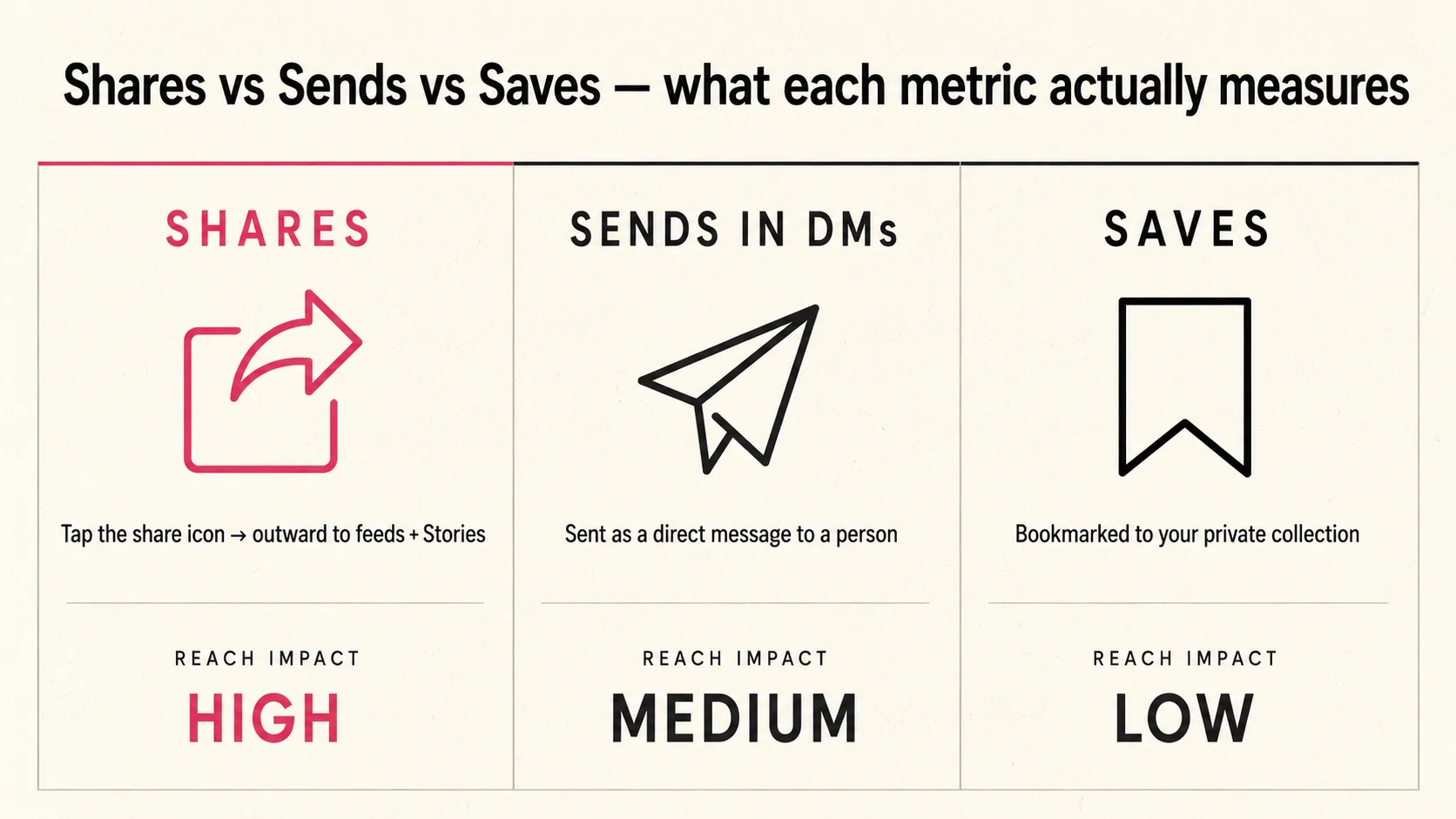
Shares vs Sends in DMs vs Saves
Three metrics in Insights look similar but measure very different behaviours. Shares (or the older Sends label) measures how many times your post was forwarded into a DM thread. Saves measures how many times someone tapped the bookmark icon to privately store your post for later. These are separate actions that often correlate — people save posts they find useful, and share posts they think someone specific needs to see — but they don't move together reliably.
A reference post full of specific facts gets saved heavily because people want to return to it. A post about a relatable frustration or a surprising observation gets shared heavily because it prompts the reaction "you have to see this." Meme-style or opinion content typically earns shares but few saves. How-to carousels typically earn saves but fewer shares. Knowing which behaviour your content drives helps you understand what kind of value it's delivering — and how each action feeds into your overall engagement rate.
The confusion around Sends comes from Instagram's inconsistent labelling. Some creators encountered "Sends" in their Insights for years before it was renamed; others never saw it at all because they joined after the label change. The short version: if you see Sends anywhere in your data, treat it as identical to what current Insights calls Shares. There is no meaningful distinction between the two.
Why shares correlate with reach more than likes
A like requires almost no effort — a double-tap while scrolling. A share requires a deliberate decision: open the share tray, find a contact or group, and send. That extra friction is exactly why Instagram weights shares more heavily as a distribution signal.When someone shares your post, they're staking a small piece of their social reputation on its quality — they're telling someone they know that this was worth forwarding.
Instagram has stated publicly (in creator-facing documentation and in interviews with Adam Mosseri) that sends are one of the strongest signals the recommendation system uses. When a post accumulates shares quickly relative to its reach, that tells the algorithm the content resonated well enough for people to actively distribute it. The algorithm then tests it with a wider audience to see if that pattern holds. This is why posts with high share counts sometimes have reach that looks disproportionate to the account's follower count.
Likes, by contrast, are weaker as distribution signals because the bar to tap one is so low. Comments are stronger than likes but still easier to leave than shares. Saves sit between comments and shares in terms of effort, but saves don't distribute your content to new people the way shares do — a save is a private action, while a share moves the post into someone else's awareness. If you had to pick one engagement metric to track as a proxy for whether a post will reach beyond your existing followers, Shares is the one.
Try it
See public engagement metrics for any Instagram account — including the engagement rate and posting patterns that tend to correlate with strong share performance.
Open the Profile Analyzer →A like is a thumb tap. A share is active distribution — your reach grows because someone decided your content was worth their network's attention. Treat shares as the metric, not the side effect.
Where shares appear in Insights
Shares appear in two places in the Instagram app. The first is the individual post Insights view: tap any post on your profile, then tap "View Insights" below it. The metrics panel that slides up shows reach, impressions, likes, comments, saves, and shares in a single scrollable block. On some account types the order or grouping varies slightly, but Shares is always present for Business and Creator accounts on feed posts and carousels — see the Business Insights tab guide for a walkthrough of each panel.
The second place is the Overview section of the main Insights tab. This aggregates total interactions across all your content for the selected time window, but the summary view usually shows a combined interactions number rather than breaking out each type individually. To see per-post share counts, you need to drill into individual posts. The aggregate overview is useful for spotting week-to-week trend shifts; the per-post view is useful for identifying which specific posts drove the most distribution.
Reels have an additional wrinkle: they may show a separate Reposts figure alongside Shares. Reposts count how many times someone added your Reel to their own Story. That is a different action from sending a Reel to a DM — both add to distribution, but they work differently. If you see both numbers on a Reel, the Shares figure is still the DM-forward count; Reposts is the Story-sticker count. Not all accounts see the Reposts metric — availability varies by account size and region.
How to make content that earns shares (without engagement-bait)
Engagement-bait — captioning a post with "Share this with a friend who needs to see it" — does produce a short-term bump, but Instagram deprioritises posts it detects as bait, and the shares you earn that way tend to come from people who tapped the share button as a reflex rather than because the content genuinely resonated. The result is lower-quality distribution that doesn't compound well over time.
Content that earns shares organically tends to fall into a few patterns. Surprise or counterintuitive information — something that makes people say "wait, really?" — gets sent to specific friends who the sender thinks will also be surprised. Specific solutions to specific problems get forwarded to the friend who has that exact problem right now. Relatable observations about a shared experience get sent as a form of recognition — "this is us." All three of these patterns have something in common: the person sharing is doing something for the recipient, not just performing engagement.
A practical approach is to write captions that are complete on their own — posts where someone could forward the image or video and the recipient would understand its value without needing context from your account. If the value of a post only makes sense to someone who already follows you, it's harder to share. If the post works as a standalone piece of information or observation, sharing it becomes a natural action. Use the Profile Analyzer to find your most-engaging posts and spot which formats are already earning the most shares — all available through our free tools. That's a more durable approach to earning shares than any caption prompt.
Frequently asked
Quick answers
- What does the Shares number actually count in Instagram Insights?
- Shares counts the number of times someone tapped the paper-plane icon on your post and sent it to at least one other person via a DM. It does not count reposts to Stories (that's a separate metric called Story Reshares or Reposts), and it does not count external shares like someone copying a link and pasting it into WhatsApp. The Shares number in Insights is specifically DM-sends.
- Are Shares and Sends the same thing?
- Yes. Instagram used the label 'Sends' in earlier versions of Insights to describe the same action — tapping the share icon and forwarding the post to someone in DMs. The label was changed to 'Shares' in later app updates. If you see Sends in older screenshots or exported data, it refers to the same underlying count.
- Do shares affect the Instagram algorithm?
- Instagram has publicly confirmed that sends and shares are strong signals for distribution. When someone shares a post into a DM, it implies the content was good enough to pass along — a more deliberate action than a passive like. The algorithm uses this as a signal that the post might be worth showing to more people, including non-followers. The exact weighting isn't published, but shares consistently outperform likes as a predictor of above-average reach.
- Why can't I see how many times my post was reposted to Stories?
- Instagram does provide a 'Reshares' or 'Story Reshares' metric for Reels, but it isn't universally visible across all content types and all account sizes. The Shares number in standard post Insights refers only to DM-sends. If your Reel is performing well, check whether the Insights panel shows a separate Reposts or Reshares line alongside the Shares count.
- Is there a way to see who shared my post?
- No. Instagram does not tell you which specific accounts shared your post, only the total count. This is intentional — DM sends are private actions, and Meta does not expose the identities of people who forwarded content. You only get the aggregate number.
Keep reading